
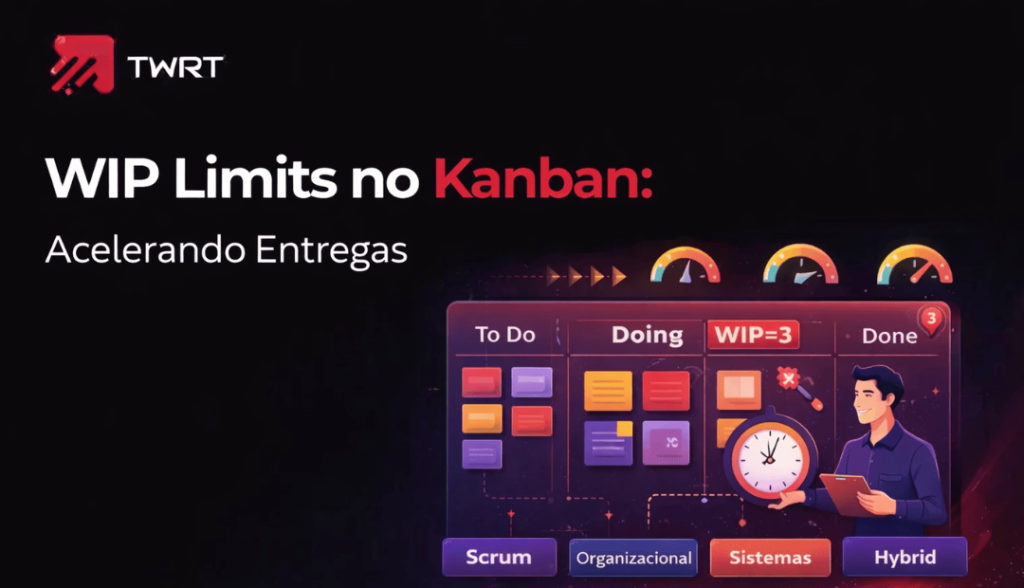
Resposta Rápida (Featured Snippet):
WIP (Work In Progress) limits são tetos máximos de tarefas em cada estágio de um fluxo de trabalho (e.g., máximo 4 features em desenvolvimento). Parecem contraditórios (“menos tarefas ≠mais rápido?”), mas na verdade reduzem contexto-switching, aumentam foco, e diminuem lead time — tudo porque reduzem filas e multi-tasking.
TL;DR (5 bullets):
– Paradoxo do WIP: limitar trabalho em progresso = entregar mais rápido
– Contexto-switching: dev com 5 tarefas paralelas é 30% menos produtivo
– Fila = atraso: se Dev tem 8 tarefas e 4 slots, 4 ficam esperando (WIP limit força ação)
– Cálculo: WIP limit ≈ (tempo médio de conclusão / tempo de ciclo)
– Resultado: lead time cai 30-50%, qualidade melhora, equipe menos estressada
Full Article
O Problema Invisível: Multitarefa e Contexto-Switching
Cenário real:
Dev tá fazendo Feature A. PM: “Pode pausar? Feature B é urgente.” Dev pausa A, começa B. Enquanto tá em B, arquiteto pede ajuda com C. Dev deixa B, olha C (10 min). Volta para B. Mas esqueceu contexto, lê 5 min de código de novo.
Uma hora depois: Dev completou 10 minutos de trabalho real. Passou 50 minutos em contexto-switching.
WIP limits proíbem esse caos.
Diz: “Dev, você pode ter máximo 3 tarefas em paralelo. Se tem 3, não pega mais até terminar uma.”
Resultado:
- Dev foca, termina Feature B em 2 dias (vs. 4 dias com multitarefa)
- Feature A começa quando B termina (esperou, mas não foram “blocked”, só esperou)
- Qualidade melhor (menos bugs por distração)
- Equipe menos estressada (“wip limits me salvaram da loucura”)
Teoria: Por Que Funciona
Baseado em queueing theory e Little’s Law:
Lead Time = (WIP à— Cycle Time) / Throughput
Exemplo numérico:
| Metric | Sem WIP Limit | Com WIP Limit |
|---|---|---|
| WIP | 20 tarefas | 4 tarefas |
| Cycle time | 0.5 dias (geral) | 0.5 dias (geral) |
| Throughput | 2 tarefas/dia | 2 tarefas/dia |
| Lead time | (20 à— 0.5) / 2 = 5 dias | (4 à— 0.5) / 2 = 1 dia |
Mesma velocidade (2 tarefas/dia), mas lead time cai 5x.
Por quê? Porque com WIP limite, tarefas não ficam em fila esperando. Fluem rapidinho.
Cálculo Prático de WIP Limit
Fórmula aproximada:
WIP Limit = Número de pessoas na fase à— Tempo de conclusão típico (dias)
Exemplo: Fase de Desenvolvimento
- Equipe: 5 devs
- Tempo de conclusão de feature típico: 1.5 dias
- WIP limit = 5 à— 1.5 ≈ 7-8 features
Mas isso é baseado em load máxima. Recomenda-se WIP limit um pouco menor para criar “pull” (priorização). Exemplo:
- Ideal: 6 features em dev (em vez de 8)
- Se dev termina, automaticamente a feature seguinte do backlog entra
- Se chegar a 6, ninguém novo entra (waiting)
Exemplo Real: Kanban Board com WIP Limits
Imagine time de 8 pessoas (2 designers, 3 devs, 2 QA, 1 PM):
┌────────────────────────────────────────────────────â”
│ KANBAN BOARD — PRODUTO APP │
├────────────────────────────────────────────────────┤
│ │
│ BACKLOG DESIGN DEV QA DONE│
│ (unlimited) (2) (6) (3) ( │
│ │
│ ┌─────────────┠┌────────┠┌──────────┠│
│ │ Feature 15 │ │Feature │ │Feature 8 │ ┌──────┠│
│ └─────────────┘ │ 7 │ │ (60%) │ │Feat7 │ │
│ └────────┘ └──────────┘ └──────┘ │
│ ┌─────────────┠┌────────┠┌──────────┠┌──────┠│
│ │ Feature 16 │ │Feature │ │Feature 9 │ │Feat6 │ │
│ └─────────────┘ │ 8 │ │ (30%) │ └──────┘ │
│ │ (new) │ └──────────┘ │
│ ┌─────────────┠└────────┘ ┌──────────┠┌──────┠│
│ │ Feature 17 │ │Feature10 │ │Feat5 │ │
│ └─────────────┘ │ (review) │ └──────┘ │
│ └──────────┘ │
│ ┌──────────┠│
│ │Feature 11│ │
│ │(blocked) │ │
│ └──────────┘ │
│ │
│ Status: │
│ Design: 2 em progresso (no limit) │
│ Dev: 6 em progresso (atingiu limit!) │
│ QA: 3 em progresso (no limit) │
│ │
└────────────────────────────────────────────────────┘
Interpretação:
- Design tem 2 em progresso. Limite é 2. Se terminar 1, puxa Feature 8 do backlog.
- Dev tem 6 em progresso. Atingiu o limite. Feature 11 aguarda alguém terminar uma feature de dev.
- QA tem 3. Limite é 3. Cheio.
- Resultado: todo mundo sabe o que fazer: terminar sua tarefa para liberar a fila.
Implementação: Do “Unlimited” para “Limited”
Week 1-2: Diagnóstico
- Qual é o WIP atual (real, contando tudo)?
- Qual é o lead time (dias) atual?
- Qual é o cycle time (dias) por fase?
Example:
Current state:
- WIP (Dev): 12 features (way over limit)
- Lead time: 8 dias (from backlog to done)
- Cycle time: 1.5 dias (feature é feita em 1.5 dias se não tiver bloqueio)
- Throughput: 3 features/semana
Week 3: Set WIP Limits
Baseado em fórmula e diagnóstico:
Dev phase: 5 people à— 1.5 days = 7.5, but set limit to 6 (create pull)
QA phase: 2 people à— 1 day = 2, set limit to 3 (buffer for testing)
Design: 1 person à— 2 days = 2, set limit to 2
Week 4: Implement & Communicate
- Atualizar board (Kanban, Jira, AgilePlace, etc.)
- Comunicar limites para time
- Explicar: “Isso não é punição. à‰ para a gente trabalhar melhor.”
Week 5-8: Monitor & Adjust
- Medir novo lead time
- Identificar blockers (por quê feature fica bloqueada?)
- Ajustar limites se necessário
Expected result (depois de 4 semanas):
New state:
- WIP (Dev): 6 features (limit reached but stable)
- Lead time: 3-4 dias (from backlog to done)
- Throughput: 4-5 features/semana (melhor!)
- Team satisfaction: +30% (menos stress, mais foco)
Dinâmica: Exercício “Multitasking vs. WIP Limit”
(Para convencer time que WIP limits funcionam)
Parte 1: Simulação de Multitasking
Time faz 5 tarefas simples (contar números, escrever nomes, etc.) em paralelo por 3 minutos. Cronômetro.
Resultado: “Nossa, 30% incompleto, muito caos.”
Parte 2: Mesmas tarefas, WIP Limit = 2
Time completa 1 tarefa, depois puxa a próxima. 3 minutos de novo.
Resultado: “Todas tarefas completas, mais rápido!”
→ Prova na prática que WIP limits funcionam.
For Technical Staff:
Algoritmo de pull em WIP limit:
def pull_next_feature(board):
    """
    Quando uma feature move para 'Done',
    pull a próxima de 'Backlog' se houver espaço.
    """
    for phase in board.phases:
        if phase.wip < phase.wip_limit and phase.next_backlog:
            next_feature = phase.backlog.pop()
            phase.add(next_feature)
            notify_team(f"New feature pulled: {next_feature}")

def block_if_at_limit(feature, phase):
    """Bloqueia nova feature se atingiu WIP limit."""
    if phase.wip_count >= phase.wip_limit:
        feature.status = "WAITING"
        log_blocker(feature, phase)
        return False
    return True
Integration com Planview AgilePlace:
AgilePlace Board
├── Column 1: Backlog
├── Column 2: Design (WIP limit: 2)
│   ├── Auto-rule: when feature finishes, pull next from Backlog
│   └── Alert: if WIP >= limit, highlight
├── Column 3: Dev (WIP limit: 6)
│   └── Color coding: green (below limit), yellow (at limit), red (over limit)
├── Column 4: QA (WIP limit: 3)
└── Column 5: Done

Metrics:
├── WIP trend: graph over time
├── Lead time: average days per feature
├── Cycle time: average days in each phase
├── Throughput: features per week
└── Blocked items: features waiting (alert if > 3 days)
Checklist: Implementando WIP Limits
- [ ] Diagnóstico: medir WIP, lead time, cycle time atuais
- [ ] Cálculo: fórmula para cada fase
- [ ] Definição: set WIP limit por fase (conservador para começar)
- [ ] Comunicação: explicar para time por quê, como funciona
- [ ] Setup: configurar board (Kanban, Jira, AgilePlace)
- [ ] Monitor: acompanhar lead time, blockers, throughput
- [ ] Ajuste: aumentar/diminuir limits baseado em dados (não em intuição)
Se Você Só Fizer 3 Coisas…
-
Calcule WIP limit realista: (People à— Cycle Time). Comece conservador.
-
Configure board para enforçar: Kanban board (físico ou digital) mostra visualmente quando atingiu limit.
-
Meça lead time antes e depois: Maior motivador é ver lead time cair 30-50%.
FAQs
P: WIP limits não deixa trabalho acumulado?
R: Não, para o oposto. Acumula menos porque puxa mais rápido (sem multitasking).
P: Qual é o WIP limit ideal?
R: Fórmula é guia. Ajuste baseado em resultados (lead time, throughput, team happiness).
P: E se um dev fica ocioso (não tem feature para fazer)?
R: à“timo! Significa fluxo está ótimo. Dev pode: ajudar outro, fazer tech debt, pesquisar.
P: Funciona para suporte/operacional (não só desenvolvimento)?
R: Sim! Suporte pode ter WIP limit de 5 tickets em paralelo. Fila fica visível, prioridade fica clara.
Reading & References
- “Kanban: Successful Change Management” (David J. Anderson)
- “Little’s Law” in Queueing Theory
- Planview AgilePlace documentation
Next Steps
“Seu time está sobrecarregado com muitas tarefas em paralelo? Lead time é longo? Implementamos WIP limits que reduzem contexto-switching e acelerram entrega. Demo prática: vemos dados do seu board e mostramos impacto potencial. Agende sessão.“
Related Reading
Discover Planview solutions



