Portfolios · AgilePlace · ProjectPlace · AdaptiveWork
Consulting and Implementation Planview in Brazil
Planview Elite Partner since 2015. Tell us about your portfolio, workflow, or execution needs, and we’ll show you a demo based on your specific criteria.
ISO/IEC 27001 Certified · Support in Portuguese from São Paulo
Planview Portfolios · demo environment, fictitious data
Who works with you to implement in Brazil
Elite Partner Planview
Since 2015, we have been implementing, providing training on, and supporting Planview solutions in Brazil.
Source: Planview partner program.
ISO/IEC 27001:2022 Certified
BSI-certified information security management system.
IS 817792 Certificate, valid through February 25, 2028.
Notable implementations
AdaptiveWork integrated with SAP in Latin America for Siemens Energy, and with SAP and Snowflake for Tereos France; support for Volkswagen Brazil’s manufacturing operations.
Projects led by TWRT.
Local support, in Portuguese
The TWRT team in São Paulo, working in your team’s time zone and language, from implementation to support.
Direct customer service from TWRT.
Start with what you need to decide
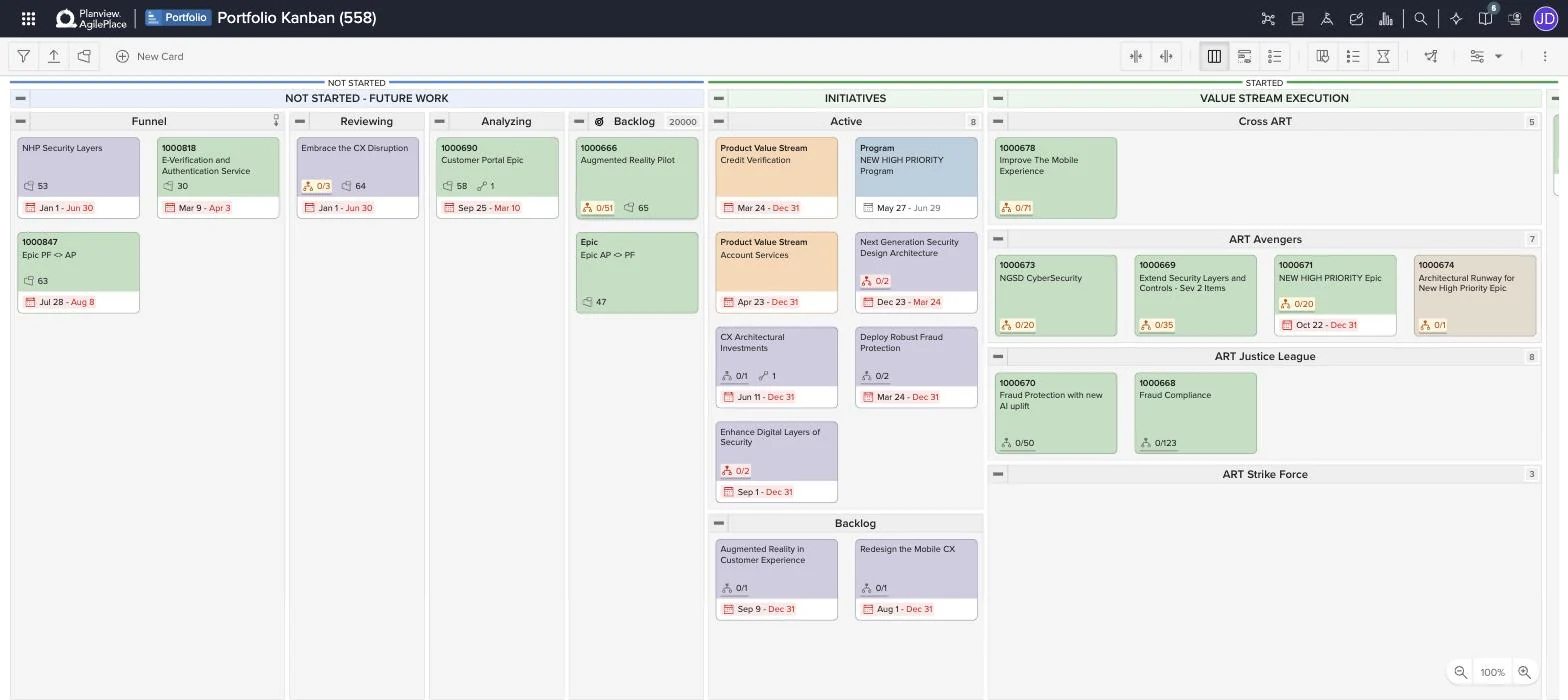
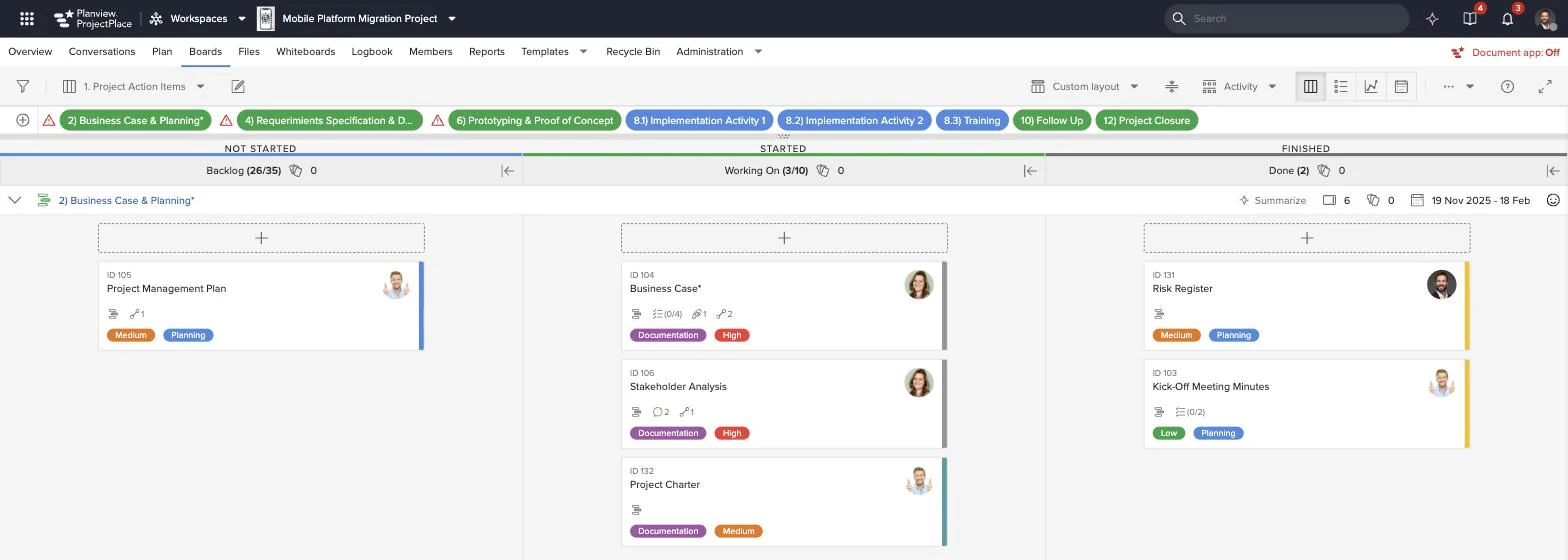
Each tab begins with a management question and shows, using actual screenshots from the demo environment, the Planview solution that addresses it.
Planview Portfolios
What do you decide best?
- Where to invest: Compare initiatives by strategic theme, cost, and expected benefit.
- What fits within the capacity: align the portfolio with the available personnel and budget.
- When reviewing: monitor the status of the initiatives and document decisions to continue, replan, or terminate them.
Planview AgilePlace
What do you decide best?
- Where the work is stalled: See which items are stuck at each stage of the workflow.
- Next: Prioritize the portfolio backlog using criteria that are transparent to the teams.
- How the workflow ties into the strategy: Link the teams' cards to the portfolio initiatives.
Planview ProjectPlace
What do you decide best?
- Who does what: Organize activities on shared boards and plans.
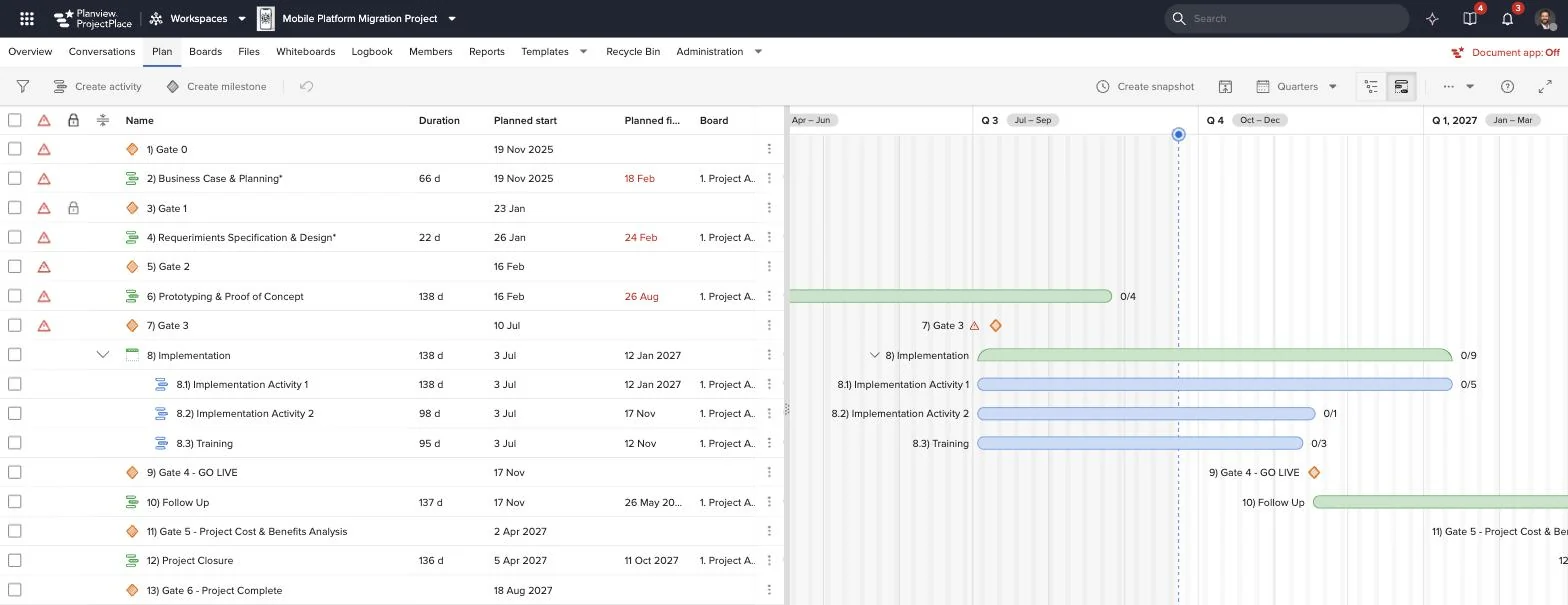
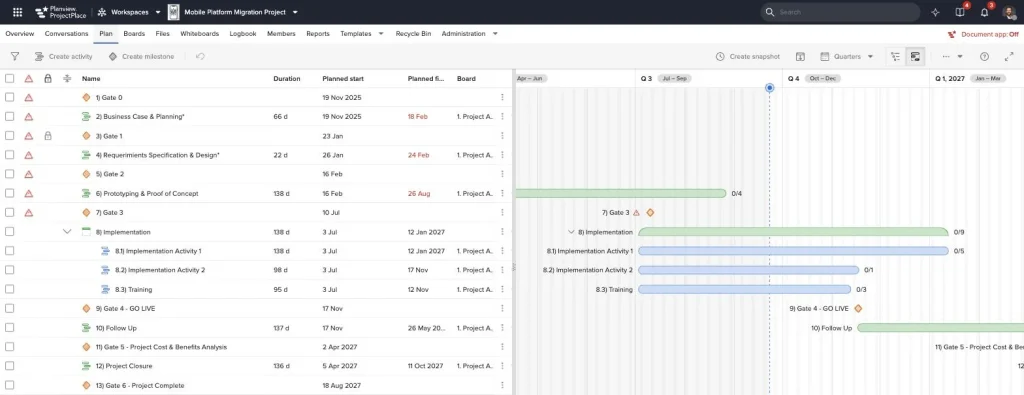
- Where each stage is: Track project milestones and gates on a timeline.
- How the team collaborates: Bring together files, conversations, and deadlines in a single workspace.
View the portfolio in the context of the strategy
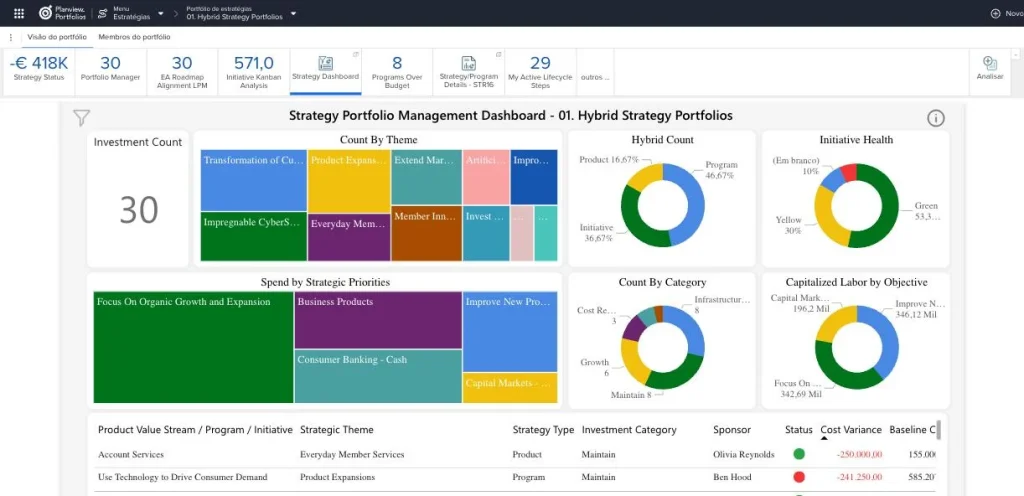
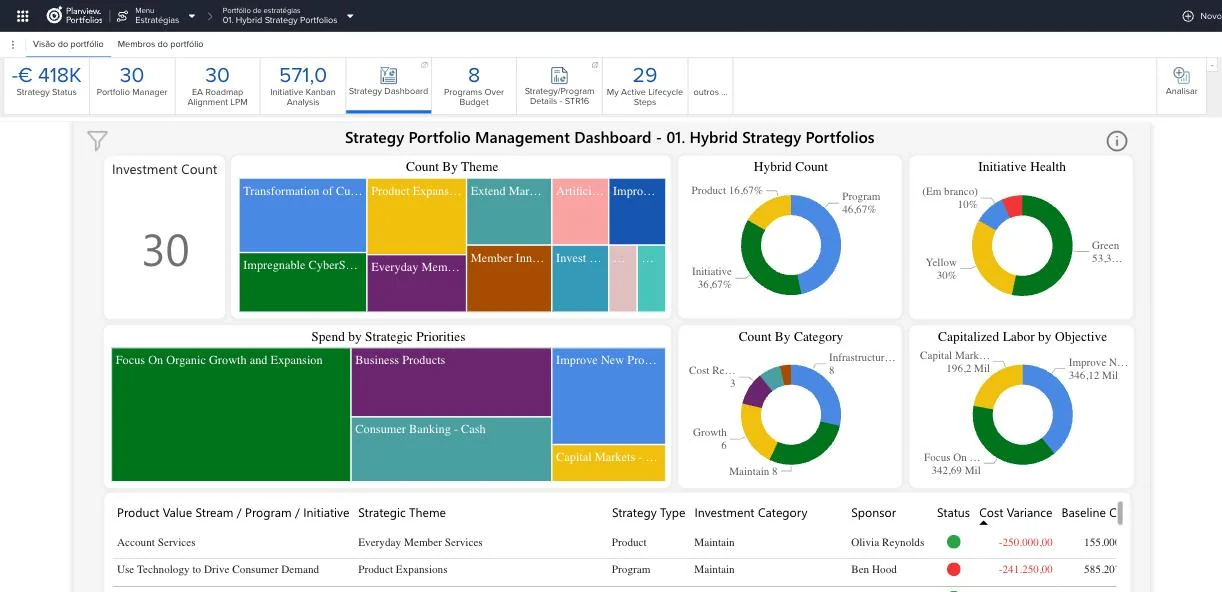
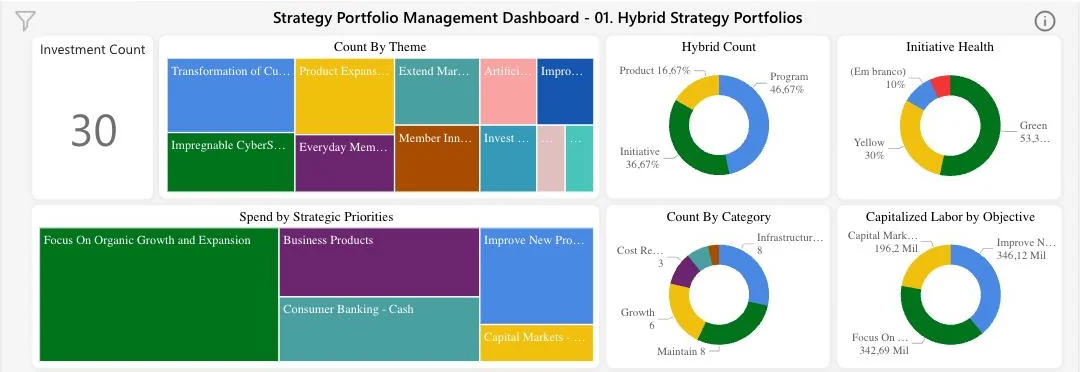
A portfolio dashboard is helpful when answering specific questions. Tap the points to see what to look for in each area.
- Count by theme. The map shows how many initiatives fall under each strategic theme. Use it to see where the portfolio is concentrated.
- Expenditures by priority. The departments compare the investment allocated across the demo's strategic priorities.
- Status of initiatives. The bar chart categorizes initiatives by status (green, yellow, blank). It serves as a starting point for identifying what needs to be reviewed.
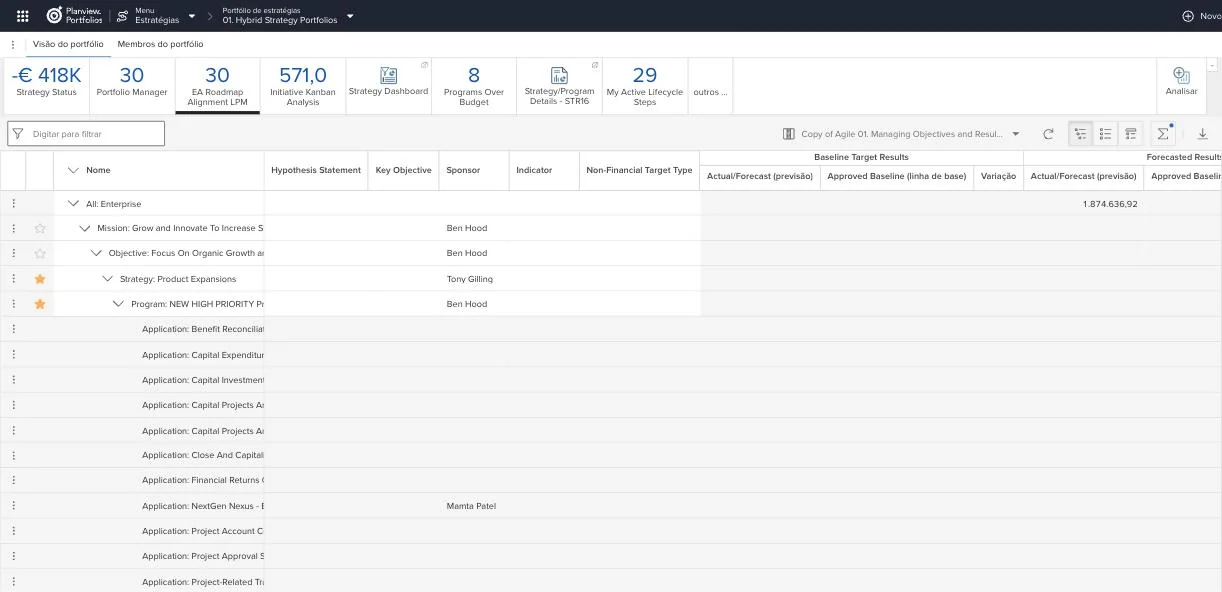
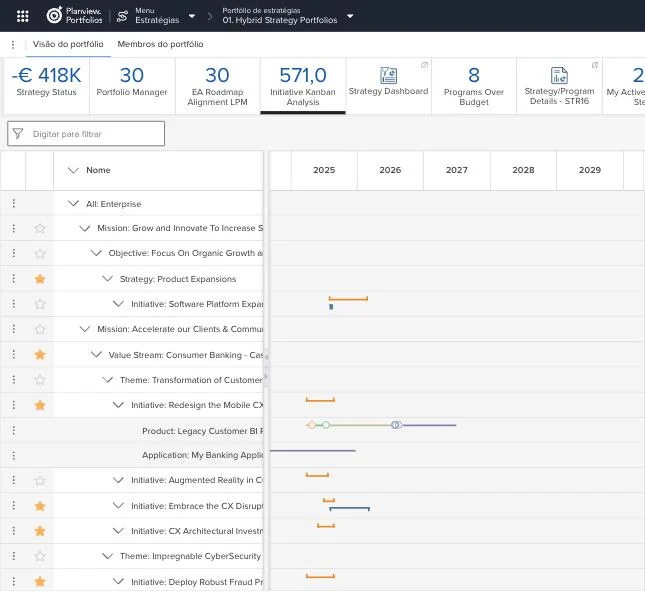
Planview Portfolios, demo environment. Fictitious data; the numbers on the screen do not represent client results or TWRT results.
How TWRT implements
01
Diagnosis and Requirements
We understand the processes, data, and decisions that the platform needs to support, and we work with your team to define the acceptance criteria.
02
Setup and Integrations
We configure Planview to fit your management model and integrate the necessary systems, such as ERP and data tools.
03
Team Training
We train administrators, PMO staff, and users using scenarios from our own operations, not generic examples.
04
Validation and Go-Live
We validate the system with key users before the go-live and monitor the initial rollout. The timeline and phases vary depending on the complexity of the environment.
A phased plan in ProjectPlace ( Planview ), with milestones and gates. Demo environment, fictional data.
Expand the assessment
Other solutions Planview that TWRT implements. No screenshots here: the evaluation is conducted using a dedicated demo account.
AdaptiveWork
Projects, programs, and resources at scale
What is it for?
Project and portfolio management with a corporate-wide view of resources and costs. TWRT implemented this solution for Siemens Energy and Tereos France.
View AdaptiveWorkProject Advantage
Project portfolio of the Planview
How to evaluate
Try it out with your own demo account and compare it with the other solutions at Planview before making a decision.
Request a demoIdeaPlace
Capture, evaluate, and prioritize ideas to turn innovation into portfolio initiatives.
Planview Hub
Connect tools and data to gain a unified view of your work and strategy.
To further the assessment
Guide
An overview of Planview solutions and the situations in which each is typically evaluated.
Concept
The difference between a project, a program, and a portfolio, with an example of a decision and screenshots from the demo at Planview.
Practice
How to prioritize requests, compare initiatives, and review the portfolio using explicit criteria.
Set up a conversation with TWRT
- A guided walkthrough of your process
- Combined evaluation criteria previously
- Response from a TWRT expert
Would you prefer TWRT to contact you?